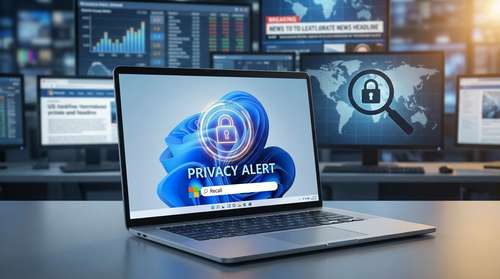
A renewed Microsoft Recall privacy crisis is sweeping the tech industry this week, plunging the software giant into a fresh wave of intense security investigations. Over the past 48 hours, digital rights advocates and cybersecurity researchers have escalated their warnings following the discovery of new, critical vulnerabilities in the highly debated Windows 11 tracking tool. Originally marketed as an intelligent "photographic memory" for your machine, the feature systematically captures automated screenshots of user activity every few seconds. Now, leading security experts warn that this localized data repository creates an unprecedented vulnerability, leaving everything from live banking sessions to confidential communications exposed to bad actors.
The timeline of this escalating Microsoft Recall controversy has been chaotic since the software's initial preview, but the events of the last few days are particularly severe. Over the weekend, the cybersecurity community reacted fiercely after an independent researcher demonstrated a fresh exploit capable of locating, extracting, and decrypting Recall's databases into easily searchable plaintext. This revelation effectively shattered Microsoft's latest assurances of robust local encryption, prompting immediate demands for regulatory probes from privacy organizations across Europe and North America.
Deep AI Surveillance Concerns and Data Harvesting
To grasp the true gravity of this situation, it is critical to understand exactly how these newer Windows 11 AI features fundamentally operate. Recall utilizes advanced on-device neural processing units (NPUs) to capture, store, and semantically index an exhaustive visual history of your screen. Every email draft you type, every financial portfolio you review, and every encrypted messaging app you open is captured, processed through optical character recognition, and saved to your hard drive. The sensitive information filter, which Microsoft implemented to prevent the capture of passwords and credit card numbers, has repeatedly proven inconsistent during independent testing.
This architecture has ignited profound AI surveillance concerns among privacy watchdogs and civil liberties groups. While Microsoft firmly insists that the captured snapshot data never leaves your physical device and requires Windows Hello biometric authentication for access, the reality of modern cyber threats paints a different picture. If a malicious entity gains physical access to your laptop, or successfully deploys remote access malware, your entire digital life is instantly compromised. Security analysts note that cybercriminal syndicates are already upgrading traditional infostealer Trojans to specifically hunt for and exfiltrate these massive behavioral databases.
Copilot+ PC Security Under the Microscope
The highly anticipated rollout of Copilot+ PC security frameworks was supposed to usher in a secure era of localized, offline artificial intelligence. Instead, enterprise network administrators and corporate IT departments are actively scrambling to block the feature entirely. Over the last 48 hours, several major academic institutions and enterprise compliance officers have issued urgent internal memorandums, explicitly prohibiting the use of Recall on managed networks. Their primary concern revolves around the severe compliance risks associated with data protection regulations, including HIPAA and FERPA.
The threat model here is fundamentally different from traditional hacking. If an attacker successfully compromises a machine today, they no longer need to quietly monitor network traffic for weeks or log keystrokes in real time. They simply need to locate and extract the localized Recall database. That single, comprehensive file contains a meticulously indexed, day-by-day timeline of your digital behavior. For anyone actively following the latest tech privacy news, this represents a catastrophic shift in vulnerability management, turning personal computers into silent surveillance devices.
Taking Control of Your Windows 11 Recall Settings
Given the rapidly escalating severity of the situation, information security professionals universally recommend disabling these automated tracking capabilities immediately. The convenience of searching through your past computing history simply does not outweigh the existential risk of keeping an unredacted log of your sensitive data. Fortunately, taking control of your Windows 11 Recall settings is a relatively straightforward process that instantly neutralizes the localized threat.
To secure your personal information and stop the automated screen captures, you need to navigate through your system preferences. Follow these exact steps to lock down your device:
- Open the main Settings application on your Windows 11 machine.
- Select Privacy & security from the left-hand navigation menu.
- Scroll down and click on the Recall & snapshots dashboard.
- Toggle the Save snapshots option completely to the off position.
- Crucially, to clear previously recorded data, select Delete snapshots, hit the "Delete all" button, and confirm the permanent removal of your historical data.
Microsoft representatives have indicated they are actively reviewing the latest vulnerability reports, but public trust remains severely fractured. The company's attempt to automate behavioral documentation at this scale has proven to be an ambitious but deeply flawed experiment. Until a fundamental architectural overhaul is implemented that genuinely guarantees data security, utilizing this specific feature carries an extraordinary level of personal risk. Protecting your digital footprint requires constant vigilance, and right now, the safest approach is ensuring your computer's photographic memory is permanently erased.